
Overview
We set up and support call centre operations end to end: the dialler, the agent screens, the lead flow and the reporting that tells you which campaign is actually paying for itself.
Who it is for
- Outbound sales and lead generation teams
- Inbound support and service desks
- BPOs running multiple client campaigns
- Businesses moving from manual calling to a dialler
Why teams choose it
- Every lead attributed to a campaign and an agent
- Recordings and dispositions stored against the contact record
- Supervisors see live status instead of asking for updates
- Integrates with your CRM rather than replacing it
The screens your team will live in
Built for people who use it all day — the numbers that matter first, and the next action never more than one click away.
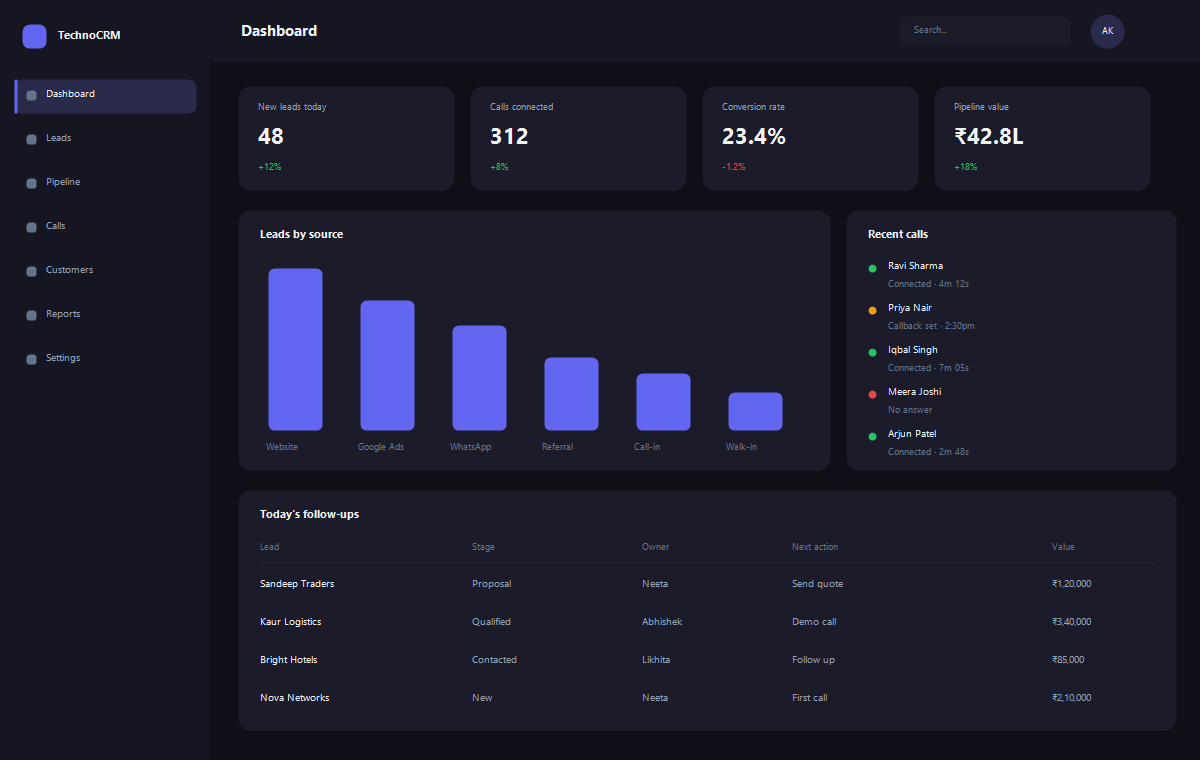
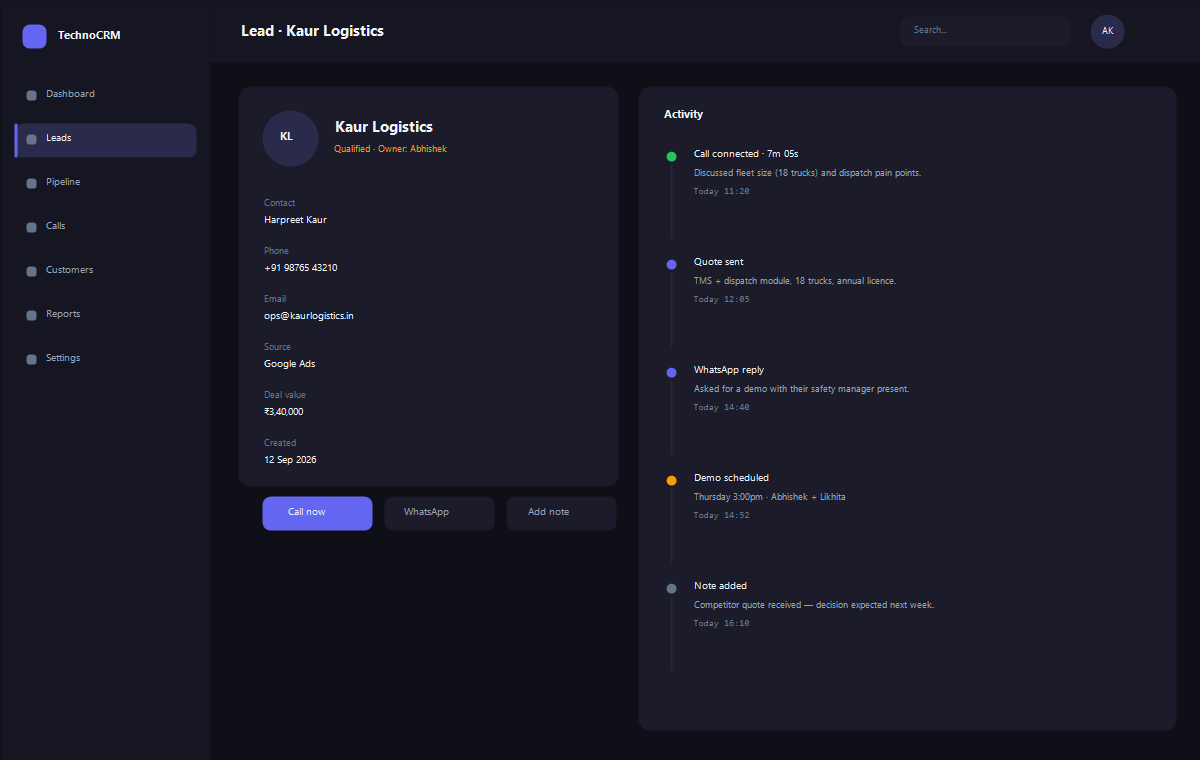
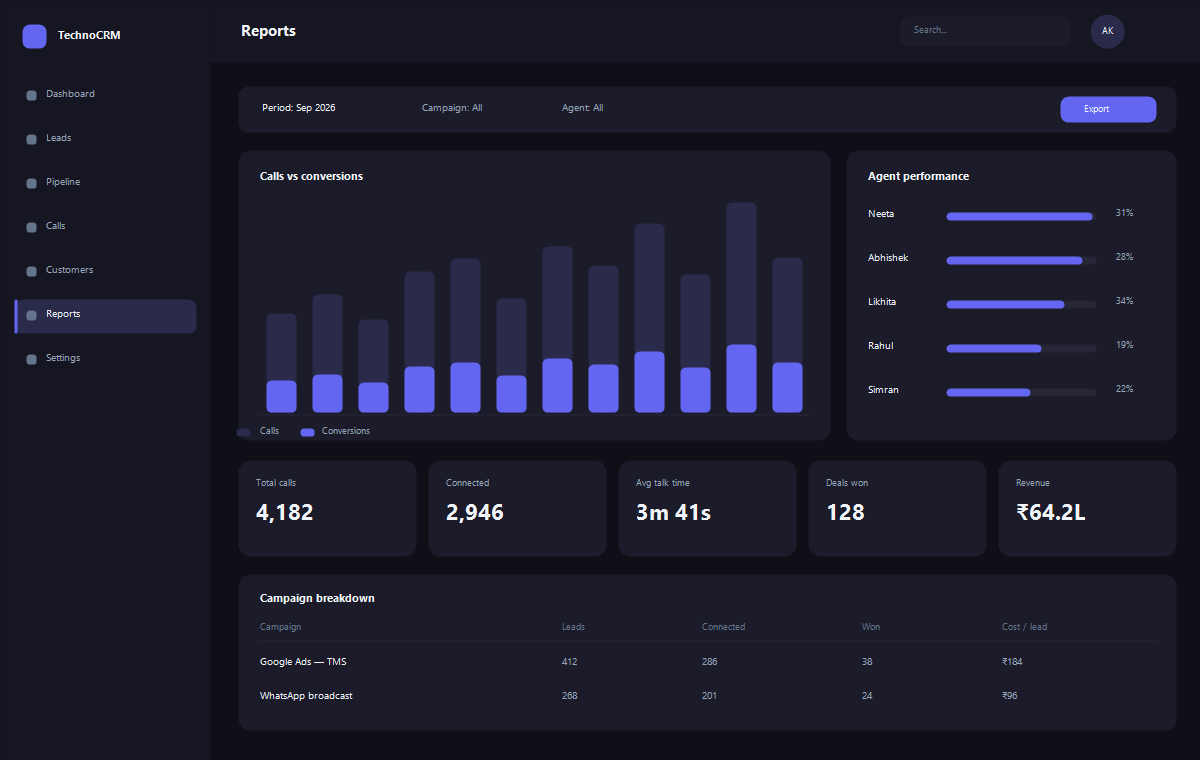
Interface visuals shown with sample data. Book a demo and we will walk through the live system on your own numbers.
What is inside Call Center CRM
Every module below is built and working — we configure them to your operation.
-
Vicidial deployment
Installation, configuration and tuning of Vicidial-based call centre systems, including carrier and SIP trunk setup.
-
Dialler campaigns
Predictive, progressive and manual campaigns with list management, call ratios, dispositions and callback scheduling.
-
Agent workspace
Screens that show the agent what they need on the call, with scripts, dispositions and one-click logging into the CRM.
-
Lead management
Lead import, de-duplication, assignment, recycling rules and full contact history against every record.
-
Monitoring & QA
Live agent status, call recording, barge and whisper, and quality scoring for supervisors.
-
Campaign reporting
Connect rates, talk time, dispositions, agent productivity and conversion by campaign and by source.
Call Center CRM — common questions
Yes — we take over existing setups, audit the configuration and fix dialling, audio or reporting problems.
Yes. Calls, recordings and outcomes can be pushed into our CRM or into a system you already run.
Trunk and carrier charges are billed by your telecom provider. We help you choose one and configure it.
See Call Center CRM in action
Book a walkthrough on your own numbers — fleet size, team size or call volume.
See Call Center CRM running on your operation
A demo takes about 30 minutes. Bring your real workflow and we will show you exactly how it maps.